
Your First 10 Minutes
Welcome. You don’t need to set anything up or learn anything before you start — your site is already live and ready. Here are the three things worth doing in your first few minutes.
#1. Say hello in the chat
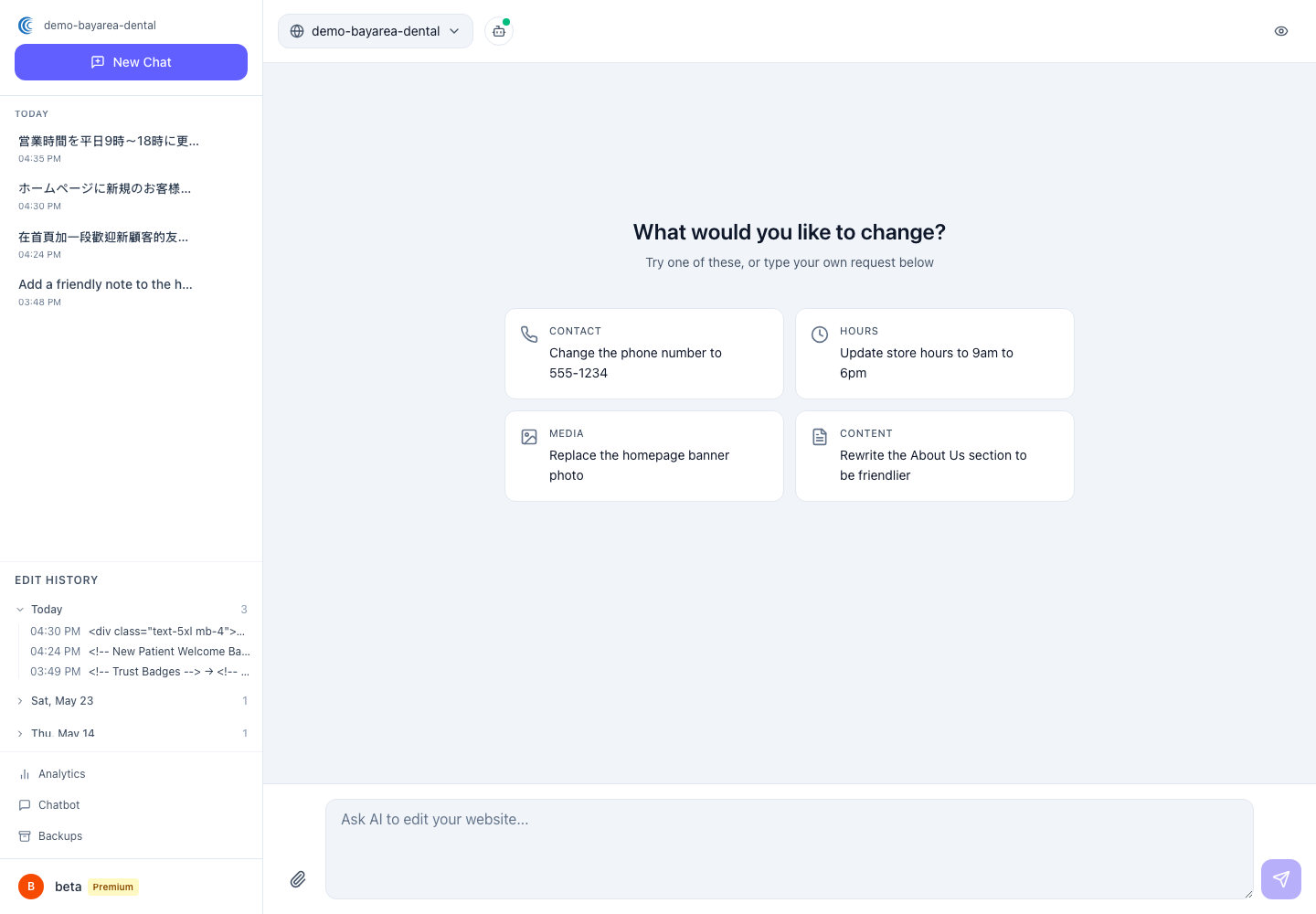
When you log in, you’ll land in the chat. This is where you make every change to your site, just by typing.
Try something small and harmless to get a feel for it:
- “What pages are on my site right now?”
- “Read me my current opening hours.”
The AI will answer in plain language. Asking a question changes nothing on your site — it’s a safe way to see how it responds.
#2. Make one real edit
Now try a real change. Pick something easy and true:
- “Update my phone number to 555-0142.”
- “Change today’s special to grilled salmon.”
The AI will show you exactly what it plans to change and wait. Your live site hasn’t moved yet. If it looks right, approve it. If not, just tell it what to fix.
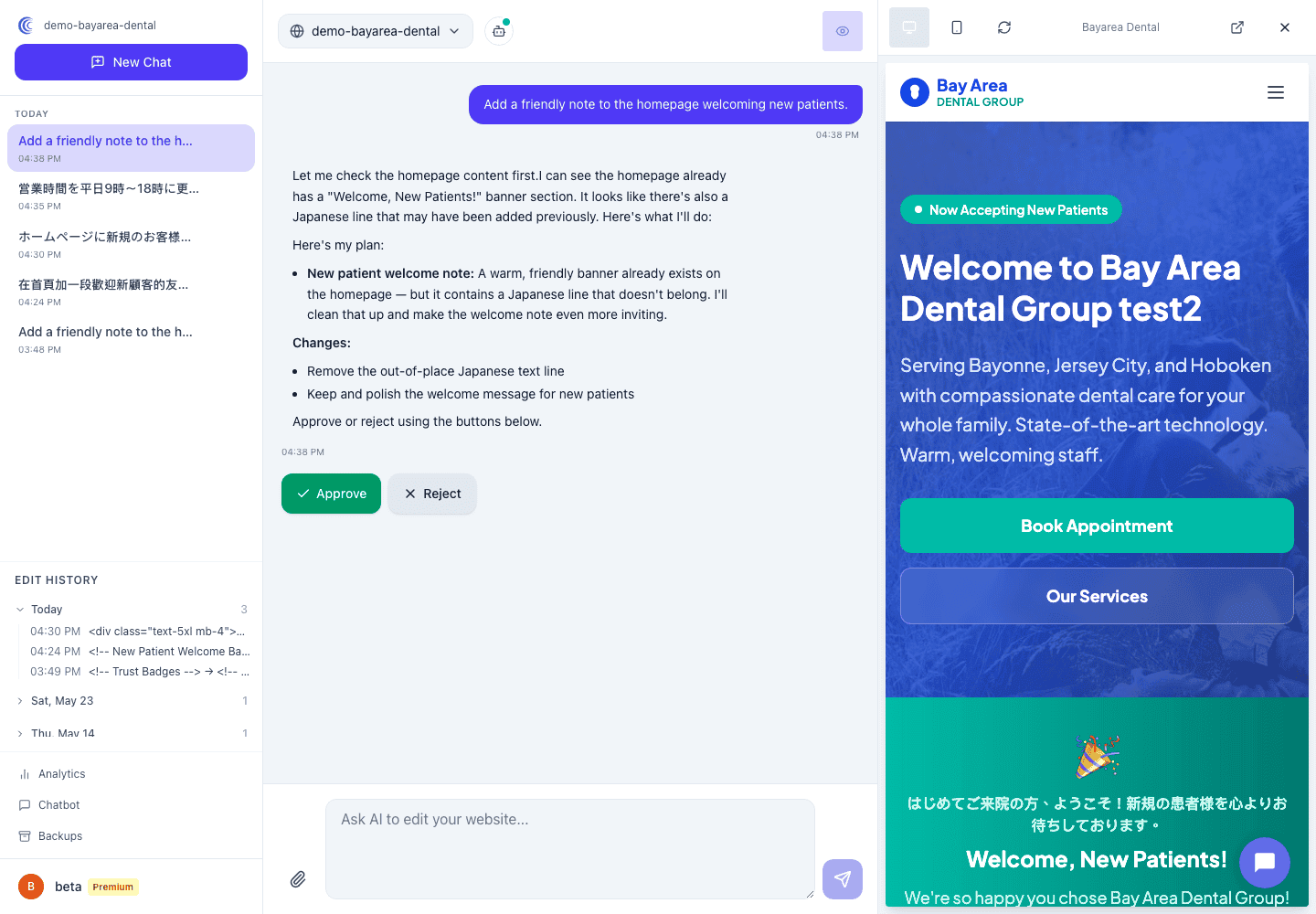
This is the whole loop. Once you’ve done it once, you’ve learned the entire product.
#3. Take a look at your dashboard
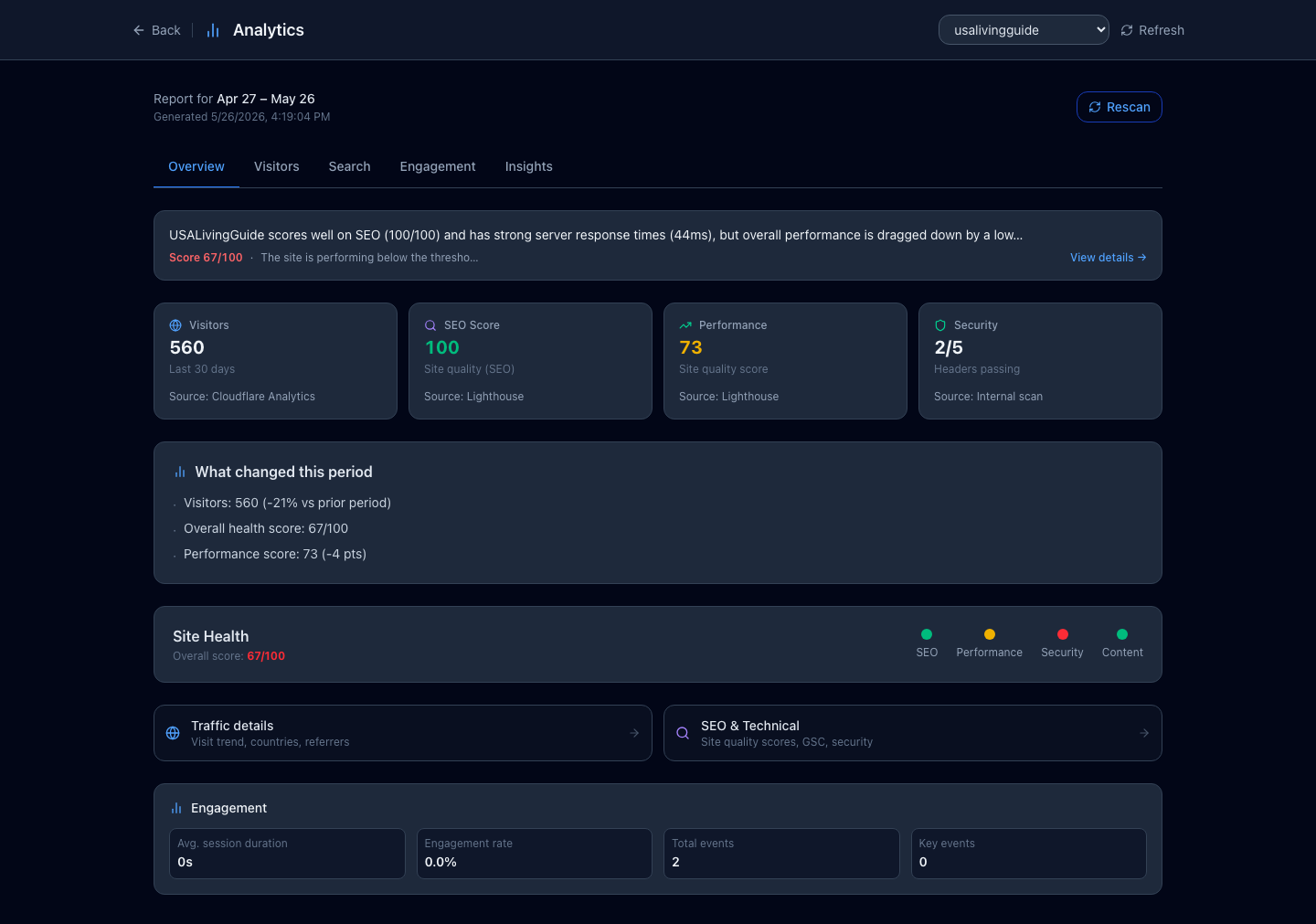
Find the analytics dashboard from the menu. You’ll see how many people are visiting, which pages they read, and a health report for your site.
If anything is flagged in red, don’t worry — the dashboard shows you exactly what needs improving, and you can ask the AI to fix it in chat. You can come back to this any time.
#That’s it
You’re set up. There’s nothing else you need to configure. From here on, keeping your site current is just a matter of typing what you want, whenever you want.
Next: How the AI Chat Works explains the approve-and-publish flow in a bit more detail.